A third-party software system for CIED (Cardiac Implantable Electronic Device) devices refers to a software platform or application developed by a company other than the device manufacturer. It is designed to centralize and streamline the management and monitoring of patients with implanted cardiac devices.
The following entities may benefit from using a third-party system for CIED devices:
Cardiac clinics: Clinics that implant and manage CIED devices for a large patient population across multiple device manufacturers can use a third-party system to consolidate data from different vendor websites into a single platform. This centralization simplifies the monitoring process and improves efficiency.
Hospitals and healthcare systems: Institutions that have multiple clinics or departments managing CIED devices can benefit from a third-party system to standardize data management, integrate with their electronic health record (EHR) systems, and enhance interoperability across different facilities. The Heart Rhythm Society (HRS) Interoperability Working Group is currently working with industry to try to standardize these vendor sites.
Outsourced monitoring services: Some small or growing practices may choose to outsource their remote monitoring services to third-party companies specializing in CIED device management. These companies utilize third-party software systems to efficiently handle the increasing patient population without the need for additional staffing.
When choosing a third-party system for CIED devices, several primary considerations should be taken into account:
Integration capabilities: The system should be capable of integrating with different device manufacturers’ platforms and EHR systems. It should provide bidirectional data sharing between the third-party system and the EHR, allowing seamless transfer of patient reports and data.
Usability and workflow efficiency: The software should offer a user-friendly interface and a logical, streamlined workflow tailored to the needs of clinicians managing CIED devices. It should minimize the time and effort required to navigate between different vendor websites and enable quick access to actionable alerts.
Security and privacy: Data security is of paramount importance when dealing with patient information. The third-party system should have robust security measures in place, such as multifactor authentication and regular audits (e.g., SOC 2 Type II) to ensure patient data privacy and protection.
Cloud-based infrastructure: A cloud-based system offers advantages such as scalability, accessibility from any location, and regular updates and innovations. It allows for real-time data transmission and enables the vendor to continuously improve the software based on customer feedback.
Quality of service and support: The third-party system should be backed by a reputable company that provides high-quality customer service and technical support. This ensures that clinics have access to timely assistance when needed.
Staff training and competency: The software should provide adequate training and resources to support staff in understanding and interpreting clinical data from CIED devices. This may include built-in training modules, anatomical models, and resources for ECG interpretation and rhythm analysis.
Customization options: The system should allow clinics to customize certain aspects according to their preferences and workflows. This may include report templates, data presentation formats, and the ability to add or remove reviewers as needed.
Ultimately, the decision to adopt a third-party software system for CIED devices depends on factors such as the size of the clinic, the number of device manufacturers used, the need for centralized data management, and the clinic’s long-term growth plans. Consulting with experts in the field and evaluating different software options can help clinics make an informed choice.
If you need help with the many questions that arise when determining if and when to use a third-party software system for your cardiac device clinic, contact the PrepMD Clinic Solutions Team to learn more.
Management of clinical alerts is unquestionably one of the most challenging tasks for remote monitoring programs. Optimizing alerts saves staff time and focuses energy on clinically relevant issues. Customizing alerts addresses the variations in care that are seen between clinicians. Development of a clear clinical escalation policy ensures expedited communication between the care team and reduces the time between clinical event and clinical action.
Whenever a remote monitoring program is started or reviewed, it is helpful to bring all the clinical stakeholders together for a discussion about alert programming. That includes anyone from the physicians and advanced practice providers (APPs) who see escalations to the nurses and techs that may be the primary alert reviewers. As difficult as it may be to get physicians and APPs to sit down for such a meeting, establishing their preferences up front saves a great deal of everyone’s time in the long run. It is important to go through all the manufacturers’ alerts with fresh eyes and select whether they are programmed on as a clinic default and if so to what level of urgency (red vs. yellow, etc.) If possible, it is helpful to create categories of patients based on indications and create standardized programming parameters for those patient groups. For example, patients with complete heart block should likely all have the alert for excess RV pacing turned off. A clinic may want to have one standard set of alerts programmed for primary prevention ICD patients and another for secondary prevention patients. While there will always be customization, if you can standardize the alerts as much as possible across your population, it will reduce confusion and make communication that much easier.
Patient-level customization should start at or even before implant with a conversation between the implanting physician and industry representative. Implanting physicians will often have a wealth of clinical information about the patient which will inform device programming, and device company representatives typically know the details of features and algorithms better than anyone else. An experienced device company representative will learn the programming preferences of the physicians and clinics they serve and will often quickly learn the typical alert preference programming. Nonetheless, the implanting physician should always confirm the proper programming for an individual patient, especially when it deviates from the customary.
The first clinic visit after implant is another great opportunity to check in with the clinicians on alert programming for an individual patient, especially if the follow-up staff is not the same as the implant staff. The lab or operating room is often a hectic environment and there isn’t always an opportunity for a thorough review of alert parameters at implant. The follow-up wound check may provide a better opportunity to raise questions such as whether a patient in atrial fibrillation will be a candidate for cardioversion and thus should have AF alerts programmed on or whether that patient is in permanent AF and should have those alerts turned off. Making the initial investments in time to program alerts properly pays dividends over the long term.
One issue that is often a source of variation in programming is whether to program alerts as “red” or “yellow” or other. Certainly, there are some alerts that are not programmable and default to red status for almost all manufacturers. Examples of those would be a battery at end of life or a hardware reset. Other alerts can be programmed as red or yellow, or for many Medtronic alerts, as a website only alert that will not be identified by color. For the most part, red or yellow alerts are displayed at the top of the dashboard on the manufacturers’ remote monitoring portals, so their main benefit is that they are readily identifiable as issues requiring attention. Many device nurses or techs will start their reviews by attending to the red or yellow alerts, so those designations may have a direct impact on clinical workflow. Some physicians or APPs will direct their clinical escalations based on alert color, such as “Only call me for red alerts”. Others may treat red and yellow alerts identically. While alert color is helpful, not all clinically actionable events may be identifiable by a red or yellow alert. Episodes of pace-terminated ventricular tachycardia or a single ICD shock may not always be eligible for red or yellow alert designation, depending on the manufacturer.
Many alerts offer opportunities to customize further based on parameters such as arrhythmia duration or heart rate. For example, a patient with known short bursts of paroxysmal atrial fibrillation could be programmed to alert only if an episode lasted for a prolonged period of time or if the AF burden met certain criteria. Likewise, a patient with permanent AF with controlled ventricular response could be programmed to alert only if the ventricular rate exceeded a certain value and a patient with known brief sinus pauses could be programmed to alert only for prolonged pauses. This contrasts with for example, a patient with a history of cryptogenic stroke for whom you may want to be alerted for any episode of AF that might identify the need for anti-coagulation. Customization of alerts in this manner goes a long way towards increasing the odds that an alert will be actionable. It is important that members of the care team who are adjusting alerts have access to important clinical information such as anti-coagulation status which may change over time.
Many implantable cardiovascular monitors, or implantable loop recorders (ILRs), are seeking to decrease the large burden of non-actionable alerts by offering indication specific programming as a “bundle”. For example, a patient with suspected ventricular tachycardia may have the “Tachy” parameter programmed on as a red alert but the “AF” parameter off altogether. Often clinics will program alerts broadly “On” at implant but aggressively narrow the alert parameters as time goes on.
Regardless of the best intent, some false positive alerts are inevitable. ILRs are probably the most common culprits because of the nature of the device. Given that they are not intracardiac but subcutaneous their signals are subject to more external disruption and noise than intracardiac leads. Additionally, since like surface leads they have combined atrial and ventricular electrograms, sophisticated algorithms to differentiate atrial from ventricular arrhythmias based on A-V relationships are often unavailable. Of course, even pacemakers and ICDs often have trouble differentiating atrial from ventricular tachycardia and may generate false positive alerts. Programming around these can be quite difficult. The programming of ILRs is often more “liberal” with respect to arrhythmia identification, because as diagnostic-only devices they cannot treat the arrhythmias that occur, raising the importance of identifying rhythm abnormalities (such as long pauses or tachyarrhythmias) so that they can be treated before adverse events occur. Some physicians are less interested in being alerted for events that the device has treated, such as a single ICD shock.
Minimizing false positive alerts decreases alert fatigue amongst clinicians, but even when this isn’t possible, the primary alert reviewer needs to remain vigilant and at least briefly review every alert. A true-life example where this played out was a woman in her mid-20s with an ILR who transmitted over 100 false positive alerts for sinus tachycardia before she had an episode of true ventricular tachycardia at over 200 bpm. Many ILRs now allow reprogramming remotely which would have allowed us to filter out the sinus tachycardia during her daily workouts, but even when that is unsuccessful it is important to review all data, even though it can be frustrating at times.
Different physicians may have very different attitudes about what kind of arrhythmias are important, especially when considering therapy such as catheter ablation. Whereas one cardiologist may not be interested in asymptomatic episodes of ventricular tachycardia below the rate cut-off of an ICD, others are more aggressive about ablation of complex arrhythmias and may want to be aware of those same arrhythmias. Similar philosophical differences apply to atrial arrhythmias, so again communication between physicians and the primary event reviewers is paramount. In organizations with multiple physicians, it is often helpful to have a physician champion for the remote monitoring program who can often drive at least some level of standardization of alert criteria.
The final, and in some ways, the most important piece of the alert management puzzle is development and operation of a coordinated cohesive clinical escalation policy. The escalation policy determines how clinical information gets turned into clinical action. Once the primary reviewer, be it a clinic nurse or tech or a third-party remote monitoring specialist, determines that an alert or event is real, what do they do with that information? What types of events should generate a report? What types of events require escalation to another member of the care team and how should that information be conveyed? Is a note in the EHR sufficient or does it warrant a phone call or text message? To which member of the care team does the message go? Does the physician ever want to be interrupted in clinic or in the lab and if so, for what? Are there specific clinical scenarios which merit that a patient should call 911 or go to the emergency department? Are there others when scheduling a clinic visit is more appropriate?
Clear delineation and documentation of the clinical escalation policy reduces stress for the care team and ensures that urgent situations get addressed quickly and that no one is interrupted with unnecessary calls or messages. Typical issues that might be addressed include episodes of atrial fibrillation- how long or fast do they need to be in order to be escalated? How is an anticoagulated patient handled differently from one who isn’t anticoagulated? How about episodes of nonsustained ventricular tachycardia in both ICD and pacemaker patients? How long does a pause in an ILR patient need to be to require urgent attention? Don’t forget to address both normal working hours as well as nights, weekends, and holidays when the entire team is not available. An upfront investment of a little time to define escalation policies improves patient care and goes a long way towards avoiding awkward and sometimes unpleasant conversations.
Clinical escalations should always be documented, whether in the EHR, remote monitoring software platform, or elsewhere and the escalation protocols should be a living document that is periodically reviewed. Emerging clinical data, changes in clinician staff, or improvements in clinical operations are just a few of the reasons that protocols may need to be changed. At minimum, an annual stakeholder review improves the chances that everyone is staying on the same page.
Data deluge and alert fatigue are some of the principal barriers to adoption of remote monitoring for CIEDs. Careful attention to alert management can minimize false positive alerts and keep the focus on moving from clinical event to clinical action. Standardizing alert parameters as much as possible by device type and patient indication can simplify clinical workflows, but customization of alerts for individual patients further refines the data that needs review. Developing clear clinical escalation policies improves efficiency and patient care, while minimizing unnecessary distractions.
It certainly is an understatement to say that running an effective and efficient cardiac device remote monitoring clinic is a challenge. Any clinic manager who is evaluating an existing remote monitoring program for improvements or who is launching a new remote monitoring program must dedicate time to analyze their clinic’s current staff, workflow, and capabilities against what is needed. This will help anticipate and stave off many of the most common challenges faced by device clinics – problems such as staff burn-out, unscheduled patients and incorrect billing.
Every clinic has a unique workflow, complications, and issues when it comes to running a cardiac device remote monitoring program. Clinics receive tremendously large amounts of device transmission clinical data coming in daily. Many clinics do not realize the value of remote monitoring and operate without a dedicated remote monitoring staff. Clinic managers may underestimate the amount of hidden workflow involved in remote monitoring which causes many pain points for staff struggling through the heavy workflow. Many clinics struggle with the standardization of an alert protocol and alert criteria. There is certainly a prevalence and frequent misunderstanding of the value and requirements of remote monitoring which commonly leads to ineffectively managed remote monitoring programs.
“Unfortunately, there is a lack of a unified approach to remote monitoring across the entire cardiac device remote monitoring space. This leads to confusion of what is needed to run a device remote monitoring program. There is an unfortunate tendency where this type of remote care can lead to a devaluing of the work being performed, simply because there is not a face-to-face patient interaction taking place, the value of the clinical care should not be minimized.” Jess Rizzo, CCDS, PrepMD Clinical Operations Director
Without an established Remote Monitoring Process in place, How are these questions answered each day?
“it’s important to remember that all of these device clinic remote monitoring tasks are essential, including the variable and hidden tasks that are difficult to quantify. In fact, not recognizing them can certainly lead to a loss of revenue, missed clinical needs, and that overburdening burnout feeling that many clinicians feel.”
Clinical Workflow: Who, What and How?
In order for a remote monitoring program to run effectively and efficiently the following must be clearly delineated: the tasks (what), the who (which clinic staff is doing each task) and how (training needed, communication, and timeline/processes for all tasks) must be clearly delineated to ensure quality.
Big Picture Questions to Analyze a Cardiac Device Remote Monitoring Program
What: What are the required tasks for a best-in-class remote monitoring program?
Who: Who on the clinic’s staff is best suited to handle each of these required tasks? What training is required?
How: How will these individuals accomplish the required tasks? What is the overall process and what are each individual contributor’s roles and expectations? What quality measures need to be in place?
Beyond the big picture questions, there are many more questions and details that go into implementing and improving a device remote monitoring program. Each clinic handles things differently, so who is responsible for all the tasks of remote monitoring is extremely variable for each clinic. Efficient handling of remote monitoring is possible, but only with the proper staff and workflow. It is infinitely difficult to quantify all of the tasksof remote monitoring because the same task might take 30 minutes one day and three hours the next. A relevant time and workflow study published in JMIR Cardio1, “Clinic Time Required for Remote and In-Person Management of Patients With Cardiac Devices: Time and Motion Workflow Evaluation” is a persuasive argument for the efficiencies of remote monitoring. However, this study certainly does NOT take into account all the intricacies and requirements regarding remote monitoring workflow, tasks, training and more.
Staffing: Who is/are the right individual(s) on the staff for each of the required tasks? Is it feasible for one or two individuals or is a dedicated team required for certain tasks?
Monitoring of the device company websites: adding, deleting, or transferring patients clinic to clinic. It takes time to go through each of the manufacturer’s websites plus clinic sites.
Report Triage: So here is where you’re deciding basically the seriousness of each report. You’re checking to see if the alerts are actionable. You’re checking to see if that patient initiated is actionable. It can include alerts or concerns within the scheduled reports. This also includes making sure those actionable reports or alerts are brought to the proper clinical staff, whether that be to a PA or a physician.
Report Construction: What are the tasks and process needed to complete even just one remote report? This includes everything from data download, clinical write-up, report sign-off, and billing. This also consists of which includes alerts and patient-initiated transmissions. This task will look very different depending on the clinic’s software. It is also important to remember that there is an element of triage here with many alerts found within scheduled transmissions. In these situations, the clinic staff needs to determine if they’re actionable or not actionable, brought to the proper staff, in addition the writing that scheduled report. The person writing the remote report must take patient history into consideration and make appropriate recommendations for clinical care.
Charting/Documentation: The documentation includes moving that report in an organized and accurate manner into the electronic health record, ensuring proper documentation of the report and any follow-up actions needed.
Patient Communication: Each clinic is unique regarding the type of communication done with the patient to inform them of the remote report and this can be done by mail, phone or through a patient portal. If there was something on the remote that is serious enough the patient may need to be seen in clinic. This requires a phone call to the patient to ask about any symptoms they’re having and make a determination to have the patient seen in clinic.
Billing: Attention to detail for accurate billing is a challenge. Is the coding/billing accurate, based on the type of report? Is it a scheduled transmission or is it an alert transmission?
Scheduling Patient Follow Up: Is the next visit an in-office or a remote follow-up? This may be as simple as confirming that the schedule is correct on the websites or within the EHR.
Final Documentation and Sign-Off: The next step is about documentation which includes ensuring the report is kept in the proper place in patient records, as well as getting the final sign off with clinic staff.
Patient Education: This includes initial and ongoing communication to ensure that the patient understands the value and functionality of remote monitoring. This includes instructions that clearly communicate the need for the patient to plug in and keep the monitor connected and explain how it transmits important clinical data as part of their overall care program.
Transmission Connectivity and Troubleshooting: This is the task of identifying who is not transmitting data and troubleshooting with those patients in order to help get them transmitting again.It is important to focus on not only getting patients reconnected, but ensuring they are properly connected and transmitting moving forward.
Quality: Who is responsible for checking up on quality metrics on report writing, patient communication, connectivity, billing, and how often are these quality checks performed?
Is a Dedicated Remote Monitoring Clinical Staff Required?
Some clinics are set up to have remote monitoring responsibilities assigned as fill-in-work when the clinic staff have availability during their downtime. This can lead to inefficiencies and cause a tremendous amount of confusion about billing practices, and a valuable loss in revenue.
“We see some clinics with two different mindsets when it comes to remote monitoring: Full-time and dedicated staff versus staff handling on as time-allows basis. Having Clinic staff dedicated to remotes results in a far more efficient and effective remote monitoring program. The clinics without a dedicated staff for remotes are truly at a disadvantage – far more likely to experience an overburdened staff, missed billing opportunities and quality issues.”
Who should be tasked with taking on these important roles and responsibilities to run an effective cardiac device remote monitoring program? Each clinic is unique and must determine who should fill these roles and what roles are even needed.
Administrative Staff: An administrative role can take on so many non-clinical tasks and provide tremendous help and structure to a remote monitoring program. Our team here at PrepMD finds this role to be absolutely indispensable. The administrative staff can help with so many steps to include scheduling, billing, patient communication and connectivity issues, adding, deleting, and transferring of patients on the websites. This frees up the clinical staff for patient care requirements and can certainly help with overburdening and burnout of all staff.
Report Writer: The Report Writer is the clinically trained person who is the primary writer of the device patients’ remote report. This person is carrying out the monitoring of all of the websites. This person should be triaging the downloads, constructing the reports, and communicating with other clinical (secondary reviewer) and administrative staff on next steps. Most often this role is filled by an allied professional (Cardiac Device Specialist) who often holds an IBHRE® certification (CCDS and CDRMS). Some clinics choose to outsource this triaging and/or report-writing to a 3rd party vendor remote monitoring service provider.
Secondary Report Reviewer: Typically, the secondary report reviewer oversees and supervisors the primary report writer. Depending on the clinic, this role may be filled by an experienced cardiac device technician, a nurse, a mid-level, even a physician. This person is responsible for carrying out the recommendations for patient management, while considering the patient history, patient medications, previous indications on the remote reports, and the review of the current data and report. This individual reviews, assesses and makes recommendations for further care management.
Final Report Reviewer: Depending on the clinic, sometimes the final report reviewer is a physician or physician’s assistant who review the final interpretations and signs off on the report.
There are many complexities to running a quality cardiac device remote monitoring program, resulting in frequent burnout, and overburdening of clinic staff. This can and should be avoided if a clinic takes the time to have a clearly defined process, trained staff and reasonable expectations and allowances to ensure each person responsible is capable of completing tasks with quality, competence, and efficiency.
Sources: 1 Boriani, Giuseppe and von Wagner, Boriani, “Clinic Time Required for Remote and In-Person Management of Patients With Cardiac Devices: Time and Motion Workflow Evaluation, ” NIH, JMIR Cardio, 2021 Jul-Dec; 5(2): e27720, https://www.ncbi.nlm.nih.gov/pmc/articles/PMC8556635/
At a recent PrepMD Webinar a panel discussion was held to share best practices to address the common challenges on cardiac device remote monitoring programs. The panel discussion was led by Rob Lerman, MD, CMO, along with three CCDS-certificated leaders from the PrepMD Clinic Solutions Leadership Team.
Kent Seckinger, CCDS, PrepMD 4+years, cardiac device space for 20 years, working split half between the device industry for manufacturers and the other half working for a large device clinic.
Brianne Terrell, RN, CCDS, PrepMD 1 year, device clinic for about 10 years working in support of device implantation, patient consultation, perioperative device management, in-clinic follow up, and remote monitoring.
Janet Cedric, CCDS, worked at Prepmd 4.5+ years and in the cardiac space for about 24 years. I’ve managed and started up device clinics.
Q: Based on your years working in cardiac device clinics, can you share any advice or tips on how clinics handle the staffing requirements needed to run their remote monitoring programs?
Brianne: I worked in a clinic of all registered nurses and our responsibilities made for very fragmented days. We were all responsible for seeing device clinic patients in person and handling remote monitoring patients. Obviously, the patients seen in person seemed to always get the most priority. During and after COVID, we ended up having to send many of our nurses to work from home and what we found was we were able to work more efficiently when we had dedicated staff for remote monitoring. So it was really one of those aha moments.
Janet: I’ve been fortunate enough that the clinics that I worked in had dedicated staff who were well-trained and supported, so they were all very capable of being able to recognize and manage the complex issues of cardiac devices and remote monitoring. Some clinics I’ve been in touch with decided that due to COVID staff changes and shortages they needed to move to a third party vendorto manage their remote monitoring.
Kent:As a clinic increases in patient size, so do the remote transmissions and there comes a balancing point where a limited staff, or in some cases one individual, is responsible for in-person and remote care of device patients. Having a dedicated staff for remote monitoring clearly helps as a clinic grows in size and allows the clinic to manage and improve efficiencies. The best situation to start to improve a device clinic is to be able to have that right mix of in-clinic staff versus dedicated remote staff.
Q: What would you say most clinics feel are the biggest challenges faced with running an effective and efficient remote monitoring program?
Kent:Many of the biggest efficiencies any clinic should achieve is centered around patient education. Too often a patient is sent home after device implantation with a transmitter without any education around the device, the transmitter and the importance of remote monitoring. Spending some dedicated time at the first post-op follow up visit which can take a good 30- 40 minutes is crucial. Taking time to educate the patient and the family is so crucial. This patient communication and education should clearly explain the benefits of remote monitoring and how this will ultimately make the patient’s life safer and easier by reducing unnecessary in-office visits and hospitalizations. It also helps to explain the billing associated with remote monitoring so they are not surprised or confused. This patient communication will help reduce a lot of that hidden workload and burden on the clinic staff, including unnecessary patient-initiated transmissions or connectivity issues.
Brianne: I find that looking back 10 years ago versus today the remote monitoring population and requirements of any clinic has just exploded and these clinics are feeling the pressure of managing it all. It’s rare that we talk to a clinic that does not feel the need to have more hands on deck to manage their remote monitoring. I would say the biggest challenge most clinics face is the huge remote monitoring workload burden and figuring out the best workflow for their individual clinic.
Janet: I’d say the biggest challenge remote monitoring clinics face is not having the appropriate dedicated staff. We see a lot of benefit from clinics hiring dedicated administrative staff to help with remote monitoring. Especially when the software is integrated with EMR, there are a lot of backend tasks that can be crucial to making things more efficient. There are many times when the remote monitoring staff will need to talk to the in-clinic staff. If you have a dedicated staff for remote monitoring they will be able to identify any patient care problems earlier and get that patient into be seen by a clinician sooner and ultimately providing improved patient care.
Q:Based on your experience, do you have some advice or tips that you can recommend to those trying to start up or improve their remote monitoring program?
Brianne:The value of a dedicated staff for remote monitoring cannot be underestimated, in addition to the importance of a thorough communication process to educate patients about remote monitoring and ensure their monitors are connected and transmitting.
Kent:If you really want to reduce your clinic workload, it’s really coming down to educating that patient from the start. The result will be fewer patients with disconnected monitors and fewer calls from disgruntled patients who don’t understand the remote monitoring billing. This patient communication is a really crucial step and sets the stage to reduce a lot of that overload, which allows clinics to operate at a much higher efficiency level.
If you are a clinic manager with questions or need help with the management of your cardiac device remote monitoring responsibilities, contact the PrepMD Clinic Solutions Leadership Team.
For Episode 4 of the PrepMD Webinar Series on remote monitoring for cardiac implantable electronic devices (CIED), Dr. Robert Lerman, PrepMD CMO spoke with Jason Clyne, Regional Economics Manager for Medtronic CRM about coding, billing, and reimbursement for cardiac rhythm management devices.
Highlights of the PrepMD and Medtronic conversation are below:
Lerman: Jason, I’m really excited to have you with us today. Can you tell us a little bit about what you do as a Regional Economics Manager?
Clyne: Within Medtronic I focus on cardiac rhythm management- the ablation side, certainly pacemakers, ICDs, and cardiac diagnostics such as Linq as well as some of our other portfolios such as Tyrex. My conversations tend to be looking upstream at some of the different tools we have in the market access space and trying to uncover what that population of patients looks like, down to the point of service or procedure- coding, coverage, and payment scenarios. I also speak to the downstream value and all the great clinical outcomes that Medtronic provides as well as the great economic outcomes that accompany those clinical outcomes.
Lerman: Thanks, Jason. So here are a few key concepts that are important. The billing and coding requirements that we’re going to review don’t tell you how often device checks can be done. It is important that those decisions are governed by medical necessity as determined by the provider. We don’t even have control over the frequency of RM transmissions,- even clinicians and 3rd party companies don’t always control the frequency of patient-initiated or alert-generated transmissions. However, we DO have control over how often and for what we bill!
Second, this webinar will focus on traditional fee-for-service Medicare requirements and reimbursement. Even within traditional Medicare, there may be local coverage decisions and different approaches taken by different Medicare Administrative Contractors – or MACs. Additionally, Medicare Advantage, Medicaid, and private payors may all have different requirements such prior authorizations. So always check with your local MAC or payor for detail and requirements for your location.
Before we get into any details, please take a look at the PrepMD and Medtronic disclaimers below1,2 Essentially, the information presented is for information only and does not constitute legal advice or recommendations. Final responsibility for billing and coding is with the provider. While we have tried very hard to provide current and accurate information, even Medicare regulations change frequently, so again please contact your Medicare contractor, other payors, reimbursement specialists, and/or legal counsel for interpretation of coding, coverage, and payment policies.
Clyne: We’re certainly going to have some great conversations but again, not providing any legal advice, and we’re not recommending any clinical practice. That’s up to you the provider at home to constitute for your patients.
Lerman: We’re going to be talking mostly about Medicare rules and regulations. Medicare is a federal health insurance program for people who are predominantly 65 years of age or older. A Medicare Administrative Contractor or MAC is a private healthcare insurer that’s actually been awarded a geographic jurisdiction to process Medicare claims for their fee for service beneficiaries. Medicare relies on a network of MACs to serve as the primary operational contact between the fee for service program and healthcare providers. The MACs have a fair amount of latitude, not only to process claims, but to establish local coverage determinations called LCDs, as well as to review claims and medical records when appropriate. Which is why when say when in doubt to consult your local MAC, that’s what we’re talking about.
Keep in mind that Medicare has a variety of payment programs with different rules and reimbursement policies. Today we are focusing on the Physician Payment program. In this program, payments are made to physicians based on the Medicare Physician Fee Schedule which is updated at least annually on January 1. If you’re working in a hospital or Ambulatory Surgical Center, there are different payments systems and reimbursements differ.
There are some basic questions that you should ask when thinking about billing for CIED monitoring:
What kind of devices are being monitored?
Where is the service being performed?
Should the service be billed globally or as separate technical and professional components?
Who is performing the technical and professional components? Are modifiers necessary?
What procedures are performed and what are the corresponding CPTâ codes?
Are the services billable based on timing requirements?
So Jason, how often should CIEDs be monitored?
Clyne: It ultimately goes back to the provider. The provider knows the medical history, the indication for the device, and what follow-up routine is the best fit for a given patient. That’s where the guidance should start. What we’ll talk about now are guidelines, not mandates, but they help develop a routine for your clinic.
CMS has put out a national coverage determination for pacemakers, but note that it hasn’t been updated since 1984. It speaks to routine and asymptomatic management, that being one device evaluation per year for single chamber pacemakers and one every six months for dual chamber devices. Place of service is not specified. Some of the Medicare Administrative Contractors have started to put in some further language to help clarify, likely because there have been a lot of changes in our therapeutics since 1984. So for example we have a local coverage determination from Novitas for pacemakers that acknowledges that for symptomatic patients, the CMS guidance for routine follow-up can be combined with either remote or in-person follow-up with a reasonable frequency when medically necessary. We certainly advise that you look at your local guidance from your local Medicare Administrative Contractor. Also from a CPT® code perspective, the CPT® codes have finite guidelines, but from a remote monitoring standpoint we’re really looking at once every 90 days, a period of time that we’re going to monitor this.
The societies provide some further guidance. HRS updated their guidelines in 2015 and there may be an eventual change to this in the future. But the guidelines speak to at least one in-office transmission per year versus remote transmissions on the pacemaker side anywhere from every 3-12 months. So again, there is some variability there and the same applies on the ICD side with every 3-6 months, so there is some leeway there but at the same time some guidance as to how these patients should be managed.
Lerman: I think it is important to reinforce that the national coverage decision from CMS on pacemakers hasn’t been updated since 1984, which we know predates the modern era of remote monitoring, and they provided no guidance on ICDs at all. So as Jason pointed out, we have to rely on some of the local MACs decisions as well as the CPT® code guidance and that from the societies. We seem to get along pretty well, but it is interesting that CMS hasn’t made a national update in quite some time. In addition to the timing requirements, which we’ll discuss in further detail, there are some additional Medicare requirements around documentation and physician supervision. Jason, can you talk about some of those?
Clyne: Device interrogation whether remote or in-person is a diagnostic test. Like any diagnostic test being performed it requires a written order. The order needs to originate from the practitioner who uses the results to treat the patient. The patient medical record needs to clearly document the practitioner’s intent that the test be performed. In addition, medical necessity documentation is important, and this will come into play later when we discuss heart failure diagnostics and implantable physiological monitoring. Patient history and indication for the device can be utilized, but then specific to the individual test, what is the reasoning for ordering the test? What findings are being sought, and what are the results of those tests and how will they be used to manage the patient’s clinical issues? Each parameter tested and the results should be maintained in the medical record.
The next question to be addressed, whether the diagnostic tests are remote or in-person interrogation, is what kind of supervision is required? Most of the time it is a technician or a nurse that is completing the interrogation, whether in-person or remote. From a remote monitoring perspective, all that is required is general supervision. General supervision occurs when the procedure is provided under the supervising practitioner’s overall direction and control, but the supervising practitioner’s presence is not required during the performance of the procedure. The supervising physician is responsible for ensuring that there is proper training for the non-physician personnel that is performing the diagnostic test and that the equipment is maintained and proper supplies are provided.
The in-person interrogation is a different story, as now there is a patient in front of us, and maybe there is an opportunity for medical intervention as needed. So now there is a need for direct supervision. That direct supervision can be provided by a physician or now, a non-physician provider (NPP) such as a nurse practitioner or PA. They don’t need to be specifically in the room with you, but they should be close by in order to perform medical intervention if needed. A question arises for a hospital-based clinic that what if the physician is in the cath lab performing a procedure? Even though they are in the same building, if they are not immediately available to provide assistance and direction, then it does not qualify as direct supervision.
Lerman: The general supervision requirements for remote are what allows third party companies to participate in remote monitoring, because they can be done under the general supervision of the physician, who is not required to be in the same facility.
Clyne: That’s right.
Lerman: One of the things that differentiates in-person device checks from remote device checks is the concept of whether they are billed based upon global CPT® codes or individual technical and professional codes. For in-person checks, global codes exist, which encompass both the technical and professional components. If you are only reporting one of the professional or technical codes, a modifier is used. For example, if you are only billing the professional component, you would add a -26 modifier to the global code, and if you are only reporting the technical component, you would add a -TC modifier. One example of where these modifiers might be used is if an industry representative is performing the technical component of the in-person check. In that situation, the appropriate billing for the clinic or the physician is the -26 modifier for the professional component only.
On the remote side it is largely different. With one exception there are separate technical and professional CPT® codes. Third-party companies will frequently perform the technical component under general supervision, while the clinic practitioners perform the professional component of the evaluation. It is important to note that remote CPT® codes are appropriate whenever a patient is not physically at a healthcare facility to receive this service. Jason, can you help us better understand some of the details that distinguish the professional component from the technical component?
Clyne: The professional component is that physician’s interpretation of the diagnostic test performed and all findings included in a written report as well as relevant clinical issues. For in-person monitoring services it also includes all components of supervision of the diagnostic testing. The technical component can include a number of things, including the technician or nurse receiving and downloading the data and performing technical interpretation and distributing the results. The technical component includes all non-physician work performed, including the cost of administrative personnel, capital equipment and facility costs, and related malpractice expenses. One would think that the reimbursement would be heavily weighted towards the professional because that’s where a lot of the interpretation is being done, but there is a lot of work on the technical side that goes on behind the scenes.
——————————————————————————————————————————————
In part two of Remote Monitoring Billing and Coding we’ll discuss the individual remote monitoring CPT® codes, the concept and rules behind monitoring time intervals, and how dates of service variations create challenges for billing compliance.
1 PrepMD Disclaimer:PrepMD provides this information for general information purposes only. It does not constitute PrepMD makes no guarantee that the use of this information will prevent differences of opinion or viewed as instructions for selecting any particular code. Please contact your Medicare contractor, other payers, reimbursement specialists, and/or legal counsel for interpretation of coding, coverage and payment policies.
This document provides assistance for FDA approved or cleared indications. CPT® copyright 2022 American Medical Association. All rights reserved. CPT is a registered trademark of the American Medical Association. Applicable FARS/DFARS restrictions apply to government use. Fee schedules, relative value units, conversion factors and/or related components are not assigned by the AMA, are not part of CPT, and the AMA is not recommending their use. The AMA does not directly or indirectly practice medicine or dispense medical services. The AMA assumes no liability for the data contained or not contained herein.
2MedtronicDisclaimer: Medtronic provides this information for your convenience only. It does not constitute legal advice or a recommendation regarding clinical practice. Information provided is gathered from third-party sources and is subject to change without notice due to frequently changing laws, rules and regulations. The provider has the responsibility to determine medical necessity and to submit appropriate codes and charges for care provided. Medtronic makes no guarantee that the use of this information will prevent differences of opinion or disputes with Medicare or other payers as to the correct form of billing or the amount that will be paid to providers of service. Please contact your Medicare contractor, other payers, reimbursement specialists and/or legal counsel for interpretation of coding, coverage and payment policies. This document provides assistance for FDA approved or cleared indications. Where reimbursement is sought for use of a product that may be inconsistent with, or not expressly specified in, the FDA cleared or approved labeling (e.g., instructions for use, operator’s manual or package insert), consult with your billing advisors or payers on handling such billing issues. Some payers may have policies that make it inappropriate to submit claims for such items or related service.
CPT copyright 2021 American Medical Association. All rights reserved. CPT is a registered trademark of the American Medical Association. Applicable FARS/DFARS Restrictions Apply to Government Use. Fee schedules, relative value units, conversion factors and/or related components are not assigned by the AMA, are not part of CPT, and the AMA is not recommending their use. The AMA does not directly or i
Advice on Patient Education and Remote Scheduling of Cardiac Implantable Devices
What is the best time and place for CIED remote monitoring patient education to occur? Keith Nicholson, CCDS, PrepMD Business Operations Director pointed out that the best time for patient education to occur may be at the wound-check appointment:
“Post-op when the device is implanted, the patient has a great deal of information being thrown at them and it can be very overwhelming. Often, we find that at the wound check appointment the patient will be able to process information more effectively, especially if they are provided with helpful written documentation or FAQs to explain how their monitor works and what the frequency of transmissions will be.”
It’s most helpful also at this point if the patient can also be provided a phone number to the specific clinic representative who they can reach out to if they have questions or concerns while setting up their monitor at home.
Patients are oftentimes confused and afraid to ask questions, so having someone who will patiently address their concerns and walk them through setup can quickly result in compliance improvement. It helps to anticipate what the most common patient concerns are that will need to be addressed.
What are typical concerns of a CIED remote monitoring patient?
Is Vendor Technical Service Helpful for Troubleshooting? Some technical issues with the monitors can sometimes require more in-depth troubleshooting just to diagnose the issue. Patients may be confused if they have to deal with multiple individuals for help with their monitor. In this scenario the clinic may find their disconnection rate is occurring more quickly than their recovery rate. Clinics can and should use the vendor technical service departments for assistance. In fact, Medtronic accepts requests for outgoing calls, where they will place outbound calls to patients to help them troubleshoot with real time instruction. With the other vendors who don’t place outbound calls to patients such as Boston Scientific, Biotronik, Abbott or Merlin, they are always happy to help patients who are calling in for help with reconnecting monitors.
Some patients are much more capable of self-help and other patients may not be technically savvy and may require more assistance. When a patient is directed to call the vendor to troubleshoot connectivity over the phone this can oftentimes be a great success. However, in some cases a breakdown can occur when the patient is asked to call the vendor and they either don’t follow through or don’t have success.
Remote Scheduling Best Practices As far as remote scheduling, usually the best practice is to utilize the smart or automatically recurring schedules that exist within the device company websites. This often helps the patient education process, and the patient knows what to expect in terms of scheduled transmissions and copays. Smart scheduling is easily available under the scheduling tab on most vendor websites. Clinics should ideally always use the Smart Scheduling option to ensure coverage of their patient monitoring. Risks of not having patients scheduled include a potential for clinic liability. If a patient is connected but not scheduled the clinically actionable data could be missed. Even with Alerts optimized, summary transmissions sometimes demonstrate something that is clinically important.
Communication and Compliance: Patient Outreach Communication and CIED Remote Monitoring Compliance
In our last blog post, we discussed the potential clinical and economic benefits of remote monitoring for patients with Cardiovascular Implantable Electronic Devices (CIEDs). However, in order to realize these benefits there are multiple processes that need to be functioning at a high level. Several of those processes involve ensuring patient compliance, as both clinical and financial outcomes depend on consistent, reliable monitoring and reporting. Even though contemporary CIED transmitters and apps can be programmed to automatically communicate with devices and send transmission information to remote monitoring software platforms, disconnected monitors and the resultant missed transmissions are common. Scheduling of routine transmissions can also be time-consuming and confusing, with different processes for different manufacturers and devices. Troubleshooting disconnected monitors involves communication with patients which itself requires skill, patience, and understanding.
At a recent PrepMD RMS educational webinar, Dr. Robert Lerman, Former Chief Medical Officer at PrepMD, moderated a discussion on Remote Monitoring Compliance and Patient Communication featuring two members of the PrepMD leadership team – Keith Nicholson, CCDS, PrepMD Business Operations Manager and Amy Harris, CCDS, Lead Patient Outreach Specialist.
The most common causes of device patient remote monitoring non-compliance
Keith Nicholson kicked off the conversation by acknowledging that despite best efforts, it is inevitable that some patient monitors will become disconnected.
“Regardless of best practices, disconnected patient monitors will happen. Patients unplug their monitor and forget about it, they move, or they need their device hardware upgraded. Every clinic should have a plan in place for how to deal with disconnected monitors.”
Benefits of a dedicated team Amy Harris discussed the most common approach to missed transmissions and disconnected monitors where every remote monitoring team member participates and just picks up the work when they can. With minimal staff time available, sometimes patients are simply referred to the manufacturer technical support phone line, but that can be fraught with challenges. Prompt selections or hold times may deter patients or family members, and technical issues with the monitors can sometimes require more in-depth troubleshooting just to diagnose the issue. Remote monitoring staff are typically busy keeping up with reading scheduled and unscheduled transmissions and alert escalations- reconnecting patients is often put on the back burner and addressed in piecemeal fashion.
“Whenever that’s the case, you may find that your disconnection rate is occurring more quickly than your recovery rate,” said Harris. She emphasized what she sees as the key ingredient to patient education success for patients at device clinics, “Clinics will be most effective if they have adedicated person or team assigned to managing effective communication with patients to ensure remote monitoring compliance.”
The inherent difficulties in getting patients reconnected, paired with the overall high volume of disconnected patients are common reasons to designate a dedicated individual or individuals to handle patient communication. This dedicated communication will ensure a better understanding of where each patient is within the process and helps prevent troubleshooting overlap or redundancy by limiting the number of individuals who are reaching out to patients.
“A dedicated staff member(s) will keep the patient communication process as brief and effective as possible for not just the patient, but clinical staff as well,” explained Harris.
Additionally, while on the phone with patients, dedicated outreach specialists can take the opportunity to fill-in any gaps in knowledge that patients may have about remote monitoring, update scheduling and vendor websites, or deactivate accounts of patients no longer being monitored.
Finally, there is a considerable amount of technical knowledge needed for the individual or individuals on the team who will be handling patient education and communication. There are at least 15 different monitoring systems across all the vendors, including bedside units and cell phone applications, and each monitor requires its own troubleshooting process. Familiarity is required in order to recognize each display of the various error codes or light sequences, as well as device compatibility and 4G connection requirements. Taking this wealth of complex technical knowledge anddistilling only the required communication needed to accomplish what each patient needs can be complex and challenging.
What are the most common causes of patient non-compliance with remote monitoring?
Unplugged monitors
Monitor malfunction
4G upgrades
Hardware replacement
Unplugged monitors are the most common cause of non-compliance. They can come loose from the power outlet by mistake. Those are an easy fix! Sometimes however, there are patients who don’t understand how remote monitoring works and may intentionally disconnect the power in between scheduled transmissions. Other issues may include poor placement within the room- such as under the bed- or patients going on vacation or out of town without their monitors. Here patient education is the key. Clearly when monitors malfunction or where there are new 4G connection requirements, detailed product knowledge is needed to troubleshoot. Sometimes our outreach specialists find it helpful to conference in patients and industry technical support staff but they stay on the call as well to facilitate communication. Currently patients who get new devices or replacement devices may have to wait on the shipment of back-ordered monitors. Education of patients on the use of smartphone monitoring apps when available can at times alleviate those supply chain issues, while other times they are unavoidable.
We have a dedicated team. Do we also need formal outreach protocols? We recommend setting up a protocol with clinic preferences in mind for how to optimize the process, to clarify roles and responsibilities so that everyone is operating with the same understanding of who is doing what. Examples of the general protocol for patient communication may detail:
Examples of patient communication protocol
It is also important to properly document and keep tabs on patient outreach, including what was discussed with patients, and noting action and future plans such as patient education sessions.
Patients with Manual Transmissions: While most devices can be set up to send scheduled transmissions automatically, there are still some legacy devices out there that require patients to transmit manually. Some clinics will have to dedicate a staff member to calling the patient to walk them through the process of the manual transmission and explain to them what to expect and inform them of the next transmission date. Many times after doing that once, the patients will be able to handle the manual transmission on their own the next time. Some patients however, will need reminders before every scheduled transmission.
Once a backlog of disconnected monitors is cleared, what does maintenance look like?
Harris: “Once you get the [backlog] volume down to a manageable number, it’ll be much easier to just periodically scan the vendor websites for any connectivity issues or missed transmissions. You can also stay on top of upcoming schedules and proactively keep an eye on that. Depending on the size of the clinic…weekly checks would most likely be appropriate.”
What are some of the most surprising patient misconceptions encountered?
Harris: “I’ve heard some patients have a concern that their electricity bill is going to skyrocket or that even infrequent use of the remote monitor will drain the battery of their device or that the monitor being plugged in at the bedside is emitting harmful rays, or that they are incurring costs in the timeframe in between scheduled transmissions. These are times when education is provided much more thoroughly!”
Finally Nicholson was asked what kind of professional and personal traits he looks for in an outreach specialist in addition to the technical familiarity with the devices and monitors?
“Someone well versed in the EMR and kind of digging through and figuring out what’s going on , but also someone who is just kind of patient because some of these patients are frustrated and it’s not anyone’s fault, they want to get to the bottom of it. And sometimes just kind of having that calming presence to talk to the patient through is gonna be a lot more successful.”
Contact PrepMD to learn more about how they help address common CIED remote monitoring device clinic challenges with regard to patient communication and CIED Remote Monitoring compliance.
The Economics of Cardiac Device Remote Patient Monitoring
Almost universally, Cardiac Device Clinic Managers face many common challenges and need to tackle some difficult questions when analyzing a CIED remote monitoring program. Many of these questions relate to financial considerations.
Dr. Lerman, Senior Cardiologist and Physician Executive with decades of experience in both clinical and business aspects of healthcare, outlined some of the most common questions asked by clinic managers as they consider starting a remote monitoring program, “The discussion should always start with patient care and clinical benefits.
Key factors to examine when considering the outcome benefits for cardiac device patient remote monitoring include: -Reduction in mortality amongst heart failure patients -Reduction in hospitalizations, emergency department visits and office visits -Decreased time from clinical event to clinical decision -Early predictors of heart failure exacerbation -Early detection and quantification of atrial fibrillation”
In 2015, as a result of the many outcomes-benefits studies done over the years, the Heart Rhythm Society designated remote monitoring and interrogation as a Class IA recommendation, when combined with at least one annual in-person evaluation. Furthermore, all patients should be offered remote monitoring as part of the follow-up management strategy when technically feasible.
So, what are the costs associated with achieving the clinical outcome advantages of a remote monitoring program? Any program that enhances patient outcomes should garner support when the economics are neutral or positive. However, programs that significantly escalate costs may face challenges in gaining traction, even if they offer patient benefits.
While cost is important, the overall economic picture depends largely on whether the clinical program exists in a fee-for-service or so-called “fee-for-value” environment (managed care, accountable care organizations, etc.)
In fee-for-service environments, revenue generation is balanced against cost. In fee-for-value, cost reduction is the primary economic driver, as it can lead to shared savings from payors. Complicating matters is that the long awaited transformation from fee-for-service to fee-for-value is still largely a work in progress, and most organizations are somewhere in the middle with participation in both types of financial arrangements. When addressing remote monitoring, it is important to consider the following questions:
Device Clinic Cost Benefit Analysis
One way to answer the first question is through formal health economics research, but those studies can be very challenging, especially when trying to decide how much to value studies done abroad or in a different reimbursement or healthcare climate. The TARIFF Study1is one frequently referenced Italian study published in 2017, which showed that remote monitoring resulted in statistically significant reductions in hospitalizations, emergency visits, outpatient diagnostic tests, and clinical evaluations compared with standard care. The overall mean annual cost per patient in the remote monitoring group was 54% lower than standard care, driven primarily by a lower cost of cardiovascular hospitalizations. This cost reduction is consistent with the hypothesis that earlier identification of clinical or device issues will result in earlier intervention and less complicated hospitalizations.
Another relevant study published in 2021 in the Canadian Journal of Cardiology2followed ICDs and CRT-D patients for an average of 50 months. The data showed that remote monitoring was associated with both a lower risk of death and cardiovascular hospitalizations, with cost savings observed over five years of over $12,000 per patient. In summary, while the evidence that remote monitoring lowers overall costs is not as strong as the clinical outcomes evidence, there is little evidence suggesting that costs will be increased.
“Device Clinic managers can reasonably conclude that implementing a high quality remote monitoring program will result in improved patient care and better clinical outcomes, with a cost-neutral or possible reduction in overall costs to the clinic or hospital,” explained Dr. Lerman
As important as it is to evaluate the economic impact of remote monitoring on the healthcare organization, it is just as critical to consider the impact on individual patients. A 2021 American Journal of Cardiology article3described how cardiac device patients frequently express concerns over remote monitoring, cost transparency, and billing.
Kent Seckinger, CCDS, PrepMD Customer Success Director, discussed how to best approach these common patient concerns. “What it really comes down to is patient education and transparency. Educating the device patients is critical to ensuring that they know that there are real benefits for them with remote monitoring. A discussion with each patient should include the specifics of the billing model and relevant regional reimbursement rates, and most importantly, an explanation of the clinical benefits realized with remote monitoring, such as reduction of hospitalizations and ER visits.”
Patients better understand remote monitoring costs when they grasp the clinical rationale and benefits. Without this patient education, patients often call the clinic in frustration when they receive bills that they don’t understand, increasing staff burden. Even worse, they may decide to disconnect their monitors. It is crucial to discuss remote monitoring with the patient and their family members no later than the very first visit immediately after implantation. This ensures that they understand its importance and implications from the outset
Seckinger explained that the PrepMD Clinic Solutions Leadership Team have found that a little patient education goes a long way. “The patient often feels they’ve taken ownership in the management of their care as well. A critical 30-minute discussion on the benefits of remote monitoring with the patient at their first visit will definitely save time in the long run.”
While the primary motivation to provide remote monitoring services for CIEDs is to provide the highest quality patient care, organizations that participate in fee-for-service environments have an opportunity for increased revenue generation. That is because remote monitoring best practices involve improving patient compliance, which along with a detailed understanding of billing requirements, typically leads to a higher overall volume of billable transmissions. ICD transmissions can typically be billed quarterly, pacemakers every 3-6 months, and ILR and heart failure monitoring can often be billed monthly. This increased transmission volume usually more than compensates for the costs incurred by a third party remote monitoring service if one is utilized. Although there is still a fair amount of regional differences in reimbursement for some remote monitoring services, typically, a well run and legally compliant program is profitable.
It is important however, to be cognizant of the cost burden of remote monitoring on patients, especially for Implantable Loop Recorders (ILRs) and devices where heart failure monitoring can be performed and billed. In both of these circumstances, Medicare allows billing for 30-day monitoring periods, and while such billing meets regulatory requirements when clinically indicated, patient co-payments can add up quickly, especially in regions with high reimbursement.
Greg O’Neal, CCDS, CEPS, PrepMD Director of Technology and Business Development discussed the 2015 HRS Expert Consensus Statement4 of remote interrogation and monitoring for cardiovascular implantable electronic devices. The HRS consensus statement described a cadence of regularly scheduled quarterly remote monitoring transmissions for pacemakers and implantable defibrillators (monthly for ILRs and insertable cardiac monitors) with ad hoc in-person evaluations based on device or patient generated alerts plus a single scheduled annual in-person evaluation, all of which can be potentially reimbursable.
In developing a fee-for-service model, a clinic must be able to optimize the frequency of the remote monitoring transmissions with the appropriate CPT code usage for each device type, including the professional and technical components, while keeping all the patient transmission schedules consistent on each of the vendor websites for all devices.
Greg O’Neal, PrepMD Director of Product & Business Development explained, “In general, we find that many clinics running remote monitoring programs monitor patients less frequently than optimal. This highlights the discrepancy between the ideal monitoring frequency and the actual practices in clinics. The typical reimbursement is often less than 50% of the optimal.”
Clinics should ensure they use the correct CPT billing codes for monitoring heart failure patients monthly, as this could potentially increase their top-line revenue by 30 to 40%.
In addition to making sure that device transmission schedules are optimized, clinics need to carefully track connectivity and quickly move to restore disconnected monitors and minimize missed transmissions. In-person visits need to be coded properly and remote schedules adjusted if necessary.
Dr. Lerman concluded, “No two clinics are the same and this can make effective clinic remote monitoring management a daunting task. It’s clear that there are opportunities here both on the cost saving side and- if you’re in the appropriate model- on the revenue generation side. However, you can’t just roll out of bed one day and realize both these economic outcome benefits as well as the clinical outcome benefits.”
Clinic managers will find that utilizing these best practice principles will help guide them through the process of implementing and managing an effective remote monitoring program at their clinic:
Improving Patient Communication and Education
Monitoring and Ensuring Remote Monitoring Scheduling and Compliance
Ensuring Appropriate CPT Codes, Billing, and Reimbursement
As far as costs are concerned, device clinics may be able to take advantage of appropriate partnerships to optimize their resources. This may be a combination of training, staffing, remote monitoring software and service in the form of a bundled solution that enables the clinics to manage their costs effectively, enhancing their profitability. By strategically partnering with reliable solution providers such as PrepMD, clinics can ensure they are investing in the most efficient and cost-effective solutions tailored to their specific needs. Such partnerships can help clinics navigate the complexities of budgeting and resource allocation, ultimately leading to greater financial sustainability and success.
Explore companies like PrepMD for comprehensive device clinic solutions and discover how highly experienced and certified professionals can collaborate with your clinic to improve patient care, optimize billing, and manage costs with bundled solutions. Additionally, explore the relevant publications below for further insights.
CITATIONS:
1 Ricci, Renato Pietro, et. al, “Economic analysis of remote monitoring of cardiac implantable electronic devices: results of the health economics evaluation registry for remote follow-up (TARIFF) study,” NIH Comparative Study: Heart Rhythm, 2017 Jan;14(1):50-57. doi: 10.1016/j.hrthm.2016.09.008. Epub 2016 Sep 8, https://pubmed.ncbi.nlm.nih.gov/27614025/.
2Abramson, Beth L., et. al., “Canadian Cardiovascular Society 2022 Guidelines for Peripheral Arterial Disease,” NIH Practice Guideline: Canadian Journal of Cardiology. 2022 Jun;38(6):736-744. doi: 10.1016/j.cjca.2022.01.022. Epub 2022 Jan 29, https://pubmed.ncbi.nlm.nih.gov/35537813/.
3Fraiche, Ariane M., ”Patient and Provider Perspectives on Remote Monitoring of Pacemakers and Implantable Cardioverter-Defibrillators,” Research Article: American Journal of Cardiology Volume 149, P42-46, June 15, 2021, https://www.ajconline.org/article/S0002-9149(21)00266-6/fulltext.
4Slotwiner, David, MD, et. al. 2015 “HRS Expert Consensus Statement of remote interrogation and monitoring for cardiovascular implantable electronic devices.” Heart Rhythm, volume 12, Issue 7, July 2015, Pages e69-e100, https://www.sciencedirect.com/scie
“As a healthcare worker I realize that I seriously underestimate the impact on patients receiving an implantable cardioverter-defibrillator (ICD). Besides the patients I have the pleasure of caring for, I do not know anyone personally living with an ICD. Perhaps you do, but I am willing to bet a good majority of clinicians and device specialists do not know firsthand on what life is truly like for ICD patients.”
by Melissa Campbell, CDRMS, PrepMD Remote Monitoring Specialist
According to the JAMA, more than half a million people within the United States have an ICD.1 As common as that may be, I question how healthcare professionals can better understand and serve the needs of ICD patients.
Of course, cardiac device clinics must do their best to provide patient education. Clinics are responsible for patient communication within the brief window of clinic visits and device checks, but that is usually at prompted questions initiated by the patient. How many patients leave their appointments needing more understanding about their newly diagnosed heart condition and their implanted cardiac device?
Recent studies suggest that offering an effective ICD support group can provide patients with a safe space to discuss the emotional impact and lifestyle adjustments from having an ICD.
Benefits of ICD Support Groups:
Improved quality of life
Enhanced communication with healthcare providers
Greater understanding of heart disease and cardiac devices
Education on device follow up via remote monitoring
The value of organizing an ICD support group will not only meet the initiatives listed above but can offer practical pathways for clinics and hospitals to increase engagement and overall patient satisfaction. It is an opportunity to for learning through dialogue while serving a vulnerable patient population.
If your clinic or organization is considering a support group for cardiac device patients, here is a short list of things to bear in mind:
Interest
Subject matter
Access
Promotion
To initially get the ICD support group started there must be some level interest. The literature suggests that patients were more likely to participate in a support group within the first couple of years of ICD implant. A patient survey conducted within device clinics can offer data on general interest of a support group and topics that patients want to discuss.
Another thing to consider is patient access to the support group. Based on the size of the clinic or if the clinic has multiple sites, perhaps a hybrid of in-person and virtual options would permit high participation. The ICD support group is to offer support and not be an added burden. There are many creative options available for clinics to connect with patients.
Lastly, advertise that a support group is available! By enlisting the assistance of discharge nurses, front desk workers or any other healthcare personnel that encounter ICD patients can help promote the support group.
Blog article brought to by the expert staff on the PrepMD Clinic Solutions Leadership Team who provide remote monitoring solutions, including software and service, to cardiac device clinics, enabling excellent care for their CIED remote monitoring patients.
“Setting correct intervals, whether manual or automatic scheduling, in Boston Scientific, Medtronic Carelink, and St. Jude/Merlin/Abbott patient profiles can serve as a resource when determining the best dates for upcoming office visit device checks.”
by Amy Harris, PrepMD Lead Patient Outreach Specialist
Auto-schedules, set to the correct intervals, reduce the risk of scheduling oversight, as well as billing inconsistencies for patients keeping track of their medical balances.
In addition to billing predictability for patients, scheduling pacemaker and defibrillator remote transmissions at the standard minimum interval of 91 days increases the likelihood of obtaining four remotes per year, per patient.
Setting intervals to 98 days to allot more time to initiate the billing process results in fewer transmissions each year per patient, and reduces clinic revenue for remote monitoring.
The same result is true for remote schedules which are skipped or “pushed out” for office visit interrogations. Setting correct intervals, whether manual or automatic scheduling, in Boston Scientific, Medtronic Carelink, and St. Jude/Merlin/Abbott patient profiles can serve as a resource when determining the best dates for upcoming office visit device checks.
Scheduling loop recorder/ICM transmissions each 31 days is the standard minimum, however, intervals of 35 days ensure transmissions arrive on weekdays (for clinics wishing to avoid weekend billing).
Medtronic and Boston Scientific require a few unique steps during the scheduling process
Patient accounts in Carelink with bedside monitors and implanted devices compatible with Smart Scheduling are represented by a symbol . This icon indicates the implanted device is capable of automatic, cycling scheduled transmissions.
The absence of this icon is noted for devices which require patient-initiated manual transmissions, such as with the Advisa, Adapta, Micra, Sensia, Revo, and Versa.
For Medtronic Carelink, there are different scheduling options and requirements
Single
Located under the “Schedule” tab, these one-time schedules are used primarily for pacemakers or defibrillators programmed only to manually transmit. Patients are informed of future transmission date(s), and send data independently.
Single, or one-time scheduling may also be utilized for any pacemaker or defibrillator which is capable of Smart Scheduling, but is opted out of automatically recurring transmissions (e.g., Monitoring physician preference, or report data/billing concerns).
In some cases, both Single and Smart schedules can be used, however, it is more efficient to select one option to avoid scheduling overlap or error.
Series
Located under the “Schedule” tab, compatible pacemakers or defibrillators can utilize a Series, or auto-cycled schedule. This method ensures home monitor transmissions are being sent on time, every time, and provides notification when they have failed.
The earliest possible transmission date is provided, and custom intervals can be selected.
If a bedside monitor experiences connectivity issues, a Series set to transmit on an interval will automatically place that patient within the “Missed Transmissions”, “No Schedules”, and/or “Disconnected Monitors” category for your review.
Summary (Loop Recorders)
Located under the “Overview” tab, “Summary Reports” are clinical reports generated for LINQ devices. These can be set to a one-time or recurring schedule.
LINQ schedules should not be set under the “Schedule” tab. Whether one-time, or recurring transmissions, a Summary Report cannot be generated unless set up utilizing the tools provided under “Overview”
Note: LINQ schedules created under “Overview”, do not populate the date of the next transmission under the dashboard column labeled, “Next Scheduled Send” (for defibrillators and pacemakers). It instead will read, “Not scheduled”.
Boston Scientific provides a link at the top right of each dashboard to toggle between “Clarity” for loop recorders, and “NXT” for defibrillator and pacemaker device transmissions.
For pacemakers or defibrillators, within each patient profile is an option to “Edit/View Schedule and Alert Configuration”.
For Latitude NXT, there are different scheduling options and requirements
Schedules can be set as a clinic default (managed in clinic settings)
Or customized with automatically recurring intervals
Select the next scheduled remote follow up date in blue to view the calendar, and ensure the weekday is matched with the “Day of the Week” dropdown.
NXT provides the option to change or set remote transmission schedules either directly from the dashboard, or within “Schedule and Alert Configuration”.
If electing to set or edit the next transmision date on the dashboard, the date must fall on the same weekday specified under “Schedule and Alert Configuration”, or else the transmission may be “missed” as a result of the date contradiction.
As a method of efficiency, all schedule editing should be carried out under “Schedule and Alert Configuration”
Scheduling in Clarity
Access Clarity using the top right toggle link
Select patient to view profile.
The next scheduled date can be selected from the calendar without an associated weekday dropdown.
We use cookies and similar technologies to improve your experience on our website.


 “Unfortunately, there is a lack of a unified approach to remote monitoring across the entire cardiac device remote monitoring space. This leads to confusion of what is needed to run a device remote monitoring program. There is an unfortunate tendency where this type of remote care can lead to a devaluing of the work being performed, simply because there is not a face-to-face patient interaction taking place, the value of the clinical care should not be minimized.” Jess Rizzo, CCDS,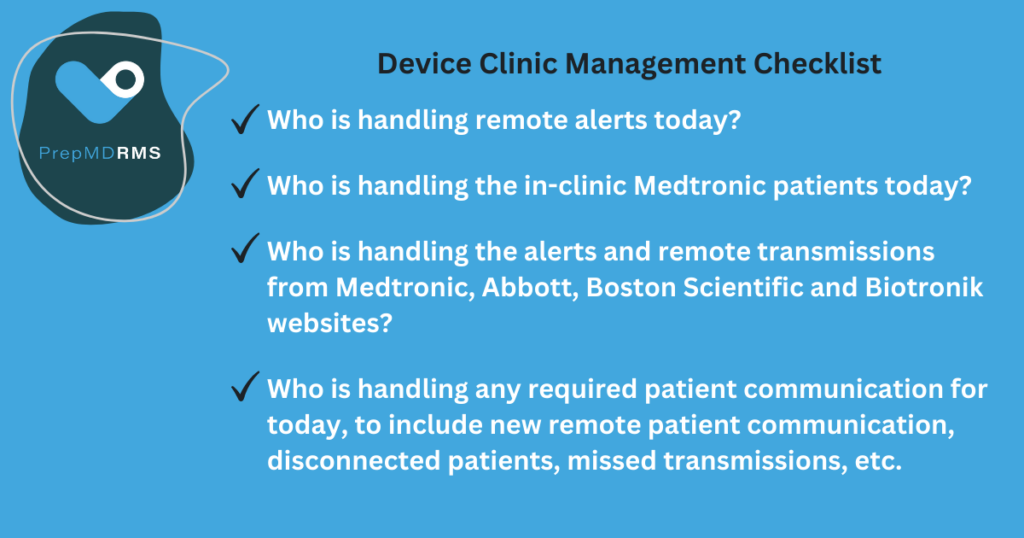

 At a recent PrepMD Webinar a panel discussion was held to share best practices to address the common challenges on cardiac device remote monitoring programs. The panel discussion was led by Rob Lerman, MD, CMO, along with three CCDS-certificated leaders from the
  Kent Seckinger, CCDS, PrepMD 4+years, cardiac device space for 20 years, working split half between the device industry for manufacturers and the other half working for a large device clinic.
 Brianne Terrell, RN, CCDS, PrepMD 1 year, device clinic for about 10 years working in support of device implantation, patient consultation, perioperative device management, in-clinic follow up, and remote monitoring.
  Janet Cedric, CCDS, worked at Prepmd 4.5+ years and in the cardiac space for about 24 years. I’ve managed and started up device clinics.

 Clyne: Within Medtronic I focus on cardiac rhythm management- the ablation side, certainly pacemakers, ICDs, and cardiac diagnostics such as Linq as well as some of our other portfolios such as Tyrex. My conversations tend to be looking upstream at some of the different tools we have in the market access space and trying to uncover what that population of patients looks like, down to the point of service or procedure- coding, coverage, and payment scenarios. I also speak to the downstream value and all the great clinical outcomes that Medtronic provides as well as the great economic outcomes that accompany those clinical outcomes.
 “Post-op when the device is implanted, the patient has a great deal of information being thrown at them and it can be very overwhelming. Often, we find that at the wound check appointment the patient will be able to process information more effectively, especially if they are provided with helpful written documentation or FAQs to explain how their monitor works and what the frequency of transmissions will be.”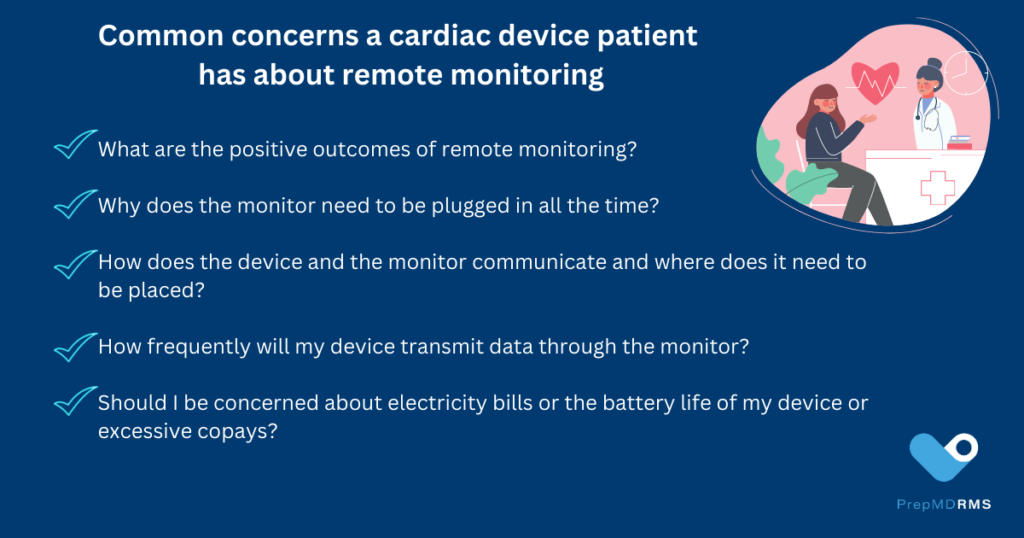

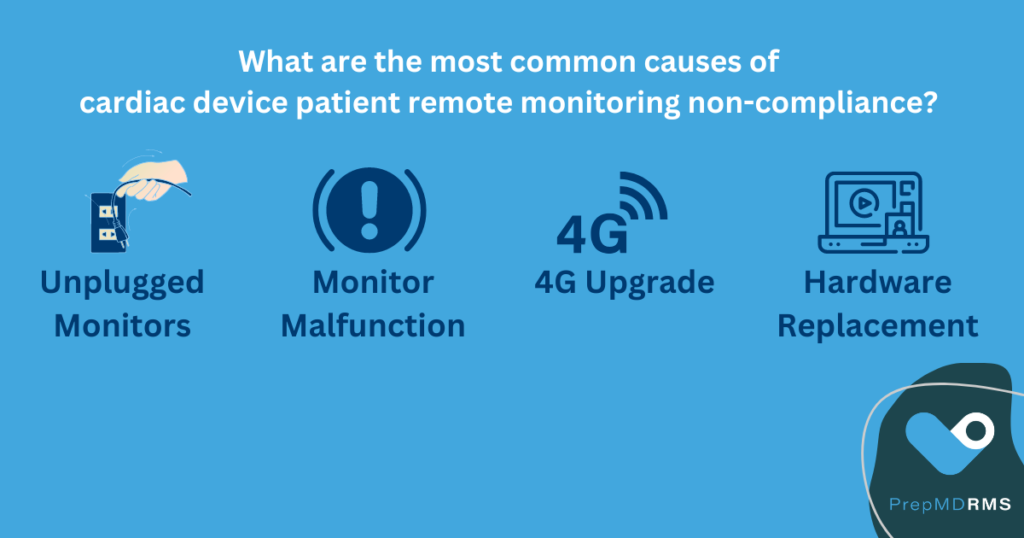
 “Whenever that’s the case, you may find that your disconnection rate is occurring more quickly than your recovery rate,” said Harris. She emphasized what she sees as the key ingredient to patient education success for patients at device clinics, “Clinics will be most effective if they have a dedicated person or team assigned to managing effective communication with patients to ensure remote monitoring compliance.”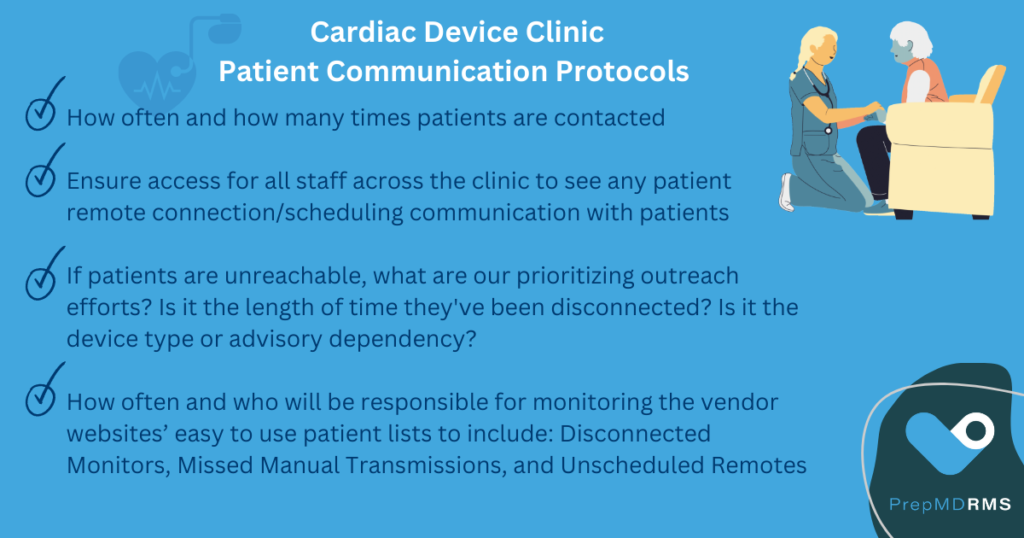

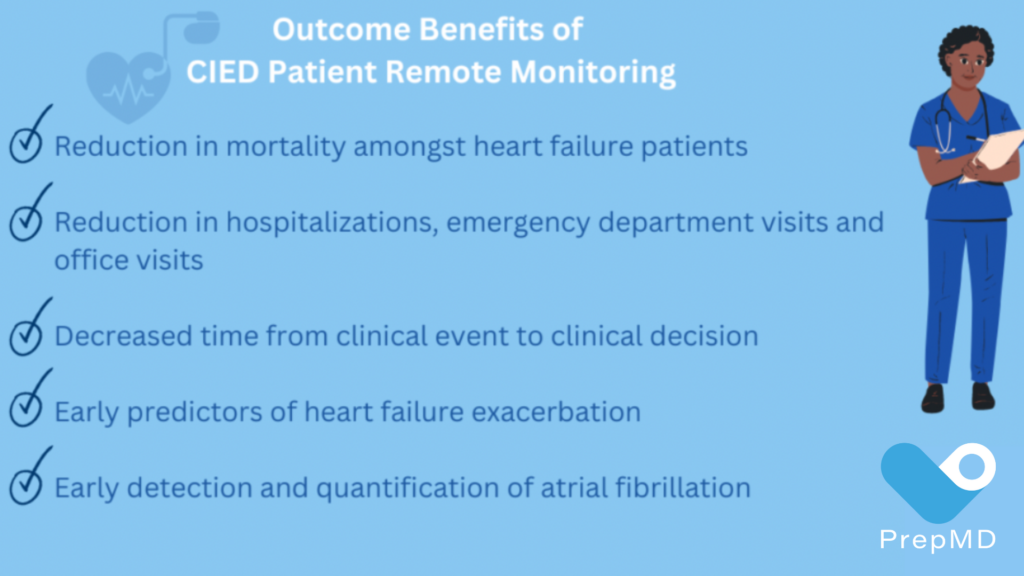
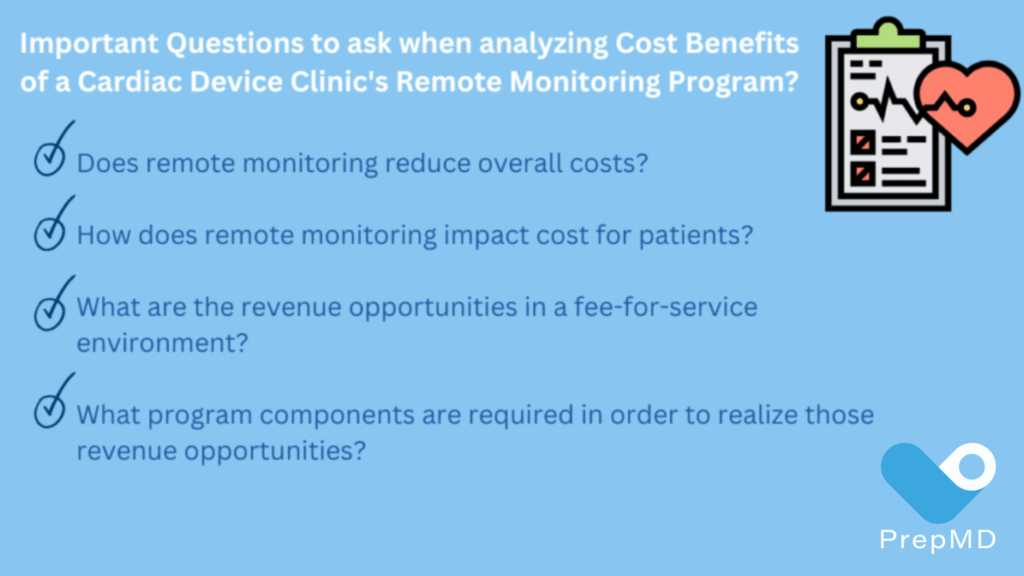
 Greg O’Neal, PrepMD Director of Product & Business Development explained, “In general, we find that many clinics running remote monitoring programs monitor patients less frequently than optimal. This highlights the discrepancy between the ideal monitoring frequency and the actual practices in clinics. The typical reimbursement is often less than 50% of the optimal.”
 “As a healthcare worker I realize that I seriously underestimate the impact on patients receiving an implantable cardioverter-defibrillator (ICD). Besides the patients I have the pleasure of caring for, I do not know anyone personally living with an ICD. Perhaps you do, but I am willing to bet a good majority of clinicians and device specialists do not know firsthand on what life is truly like for ICD patients.”

 . This icon indicates the implanted device is capable of automatic, cycling scheduled transmissions.


